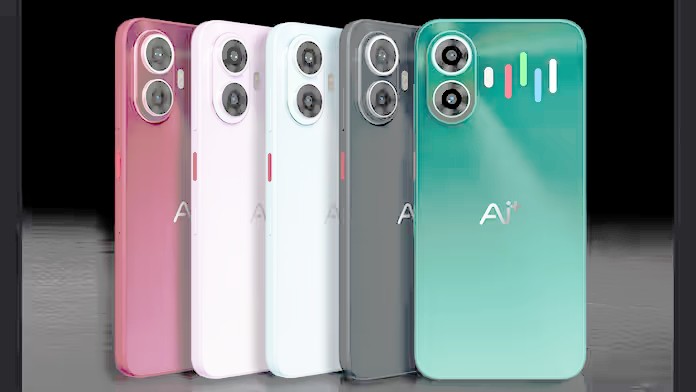
Every year brings a fresh wave of phones promising faster chips, better cameras, and longer battery life. The problem isn’t a shortage of good options — it’s that most buyers don’t have a reliable way to tell which improvements actually matter for them. This guide is meant to cut through that noise and give you a repeatable process for evaluating phones, whether you’re spending very little or a lot.
Why Buying a Phone Is Harder Than It Used to Be
A decade ago, phones were easier to compare because the differences were obvious: one had a bigger screen, another had more storage, a third had a better camera. Today, most phones in a given price range perform similarly well for everyday tasks like browsing, messaging, and streaming video. The meaningful differences have shifted to areas that are harder to see on a spec sheet — camera processing software, update policies, thermal management, and how a phone behaves after eighteen months of daily use rather than in a first-week review.
This is why relying purely on a numbers comparison between phones can be misleading. A phone with a higher megapixel count isn’t automatically better at photography, and a phone with more RAM isn’t automatically faster in real use. Understanding what the numbers actually represent is the first step toward making a smart choice.
Start With How You Actually Use Your Phone
Before comparing any phones, it helps to be honest about your actual habits. Someone who mostly uses a phone for calls, messaging, and social media has very different needs than someone who shoots video for work or plays graphically demanding games. Consider:
- How much time you spend on the camera versus other apps
- Whether you keep phones for two years or five
- How important battery life is compared to thinness or weight
- Whether you need expandable storage or wireless charging
- How much you’re willing to spend upfront versus over time through a carrier plan
Answering these questions narrows the field considerably before you even open a comparison chart, and it keeps you from paying for features you’ll never use.
Decoding the Spec Sheet
Spec sheets are useful, but only if you know what each number actually implies for daily use.
Processor and RAM
The processor determines how smoothly a phone handles apps, games, and multitasking, but raw benchmark scores rarely translate directly into a better everyday experience. A mid-range chip paired with well-optimized software often feels faster in daily use than a flagship chip paired with bloated software. RAM matters mostly for keeping multiple apps open without them reloading, so more isn’t always necessary unless you’re a heavy multitasker.
Cameras
Megapixel counts get the most attention, but sensor size, lens quality, and image processing software matter more for actual photo quality. Two phones with identical megapixel counts can produce very different results depending on how their software handles color, noise reduction, and low light. If photography matters to you, look at sample photos and video from real users rather than relying on the spec sheet alone.
Battery and Charging
Battery capacity, measured in milliamp-hours, gives a rough sense of endurance, but actual battery life depends heavily on the display, chip efficiency, and software optimization. A phone with a larger battery isn’t guaranteed to last longer than one with a smaller battery if the smaller one is paired with more efficient hardware. Charging speed is a separate consideration — fast charging is convenient, but it’s worth checking whether a phone supports it out of the box or requires buying a separate charger.
Display
Resolution and refresh rate affect how sharp and smooth a screen feels, but panel quality, brightness, and color accuracy matter just as much for daily comfort, especially outdoors. A higher refresh rate makes scrolling feel smoother, but it also draws more battery, so some phones let you toggle it down when you don’t need it.
Software and Update Policy Matter More Than You Think
One of the most overlooked factors when comparing phones is how long a manufacturer commits to providing software and security updates. A phone that stops receiving updates after two years may become a security risk well before its hardware wears out, even if it still runs smoothly. Checking a manufacturer’s stated update policy before buying can tell you more about the phone’s real lifespan than any hardware spec.
Software design also affects daily usability in ways that are easy to underestimate — things like how notifications are handled, how customizable the home screen is, and how much preinstalled software you’ll need to remove. Spending a few minutes with a phone’s interface in a store, or watching a hands-on video, can reveal more about day-to-day comfort than a spec comparison ever will.
New vs Refurbished vs Budget Phones
Not every phone purchase needs to be a brand-new flagship. Refurbished and budget phones have become a legitimate category rather than a compromise, particularly as older flagship models get discounted once newer versions launch.
| Option | Best For | Watch Out For |
|---|---|---|
| New flagship | Latest features, longest update support | Highest upfront cost |
| Refurbished flagship | Strong performance at lower cost | Battery health and warranty terms |
| Budget phone | Basic daily use, simple needs | Weaker camera and shorter support window |
Refurbished phones can be a smart middle ground if you buy from a seller offering a warranty and clear battery health information, since battery degradation is the most common issue with older devices.
When to Upgrade
A useful rule of thumb is to upgrade when your current phone stops meeting a specific need — slow performance, poor battery life, missing security updates, or a broken camera — rather than simply because a newer model has launched. Phones have matured to the point where a well-maintained device from a few years ago can still handle most everyday tasks comfortably, so upgrading purely for incremental spec improvements often isn’t worth the cost.
Frequently Asked Questions
How often should I replace my phone?
Most people can comfortably use a phone for three to four years if the battery is maintained and the manufacturer continues providing security updates.
Do more cameras always mean better photos?
No. A phone with fewer cameras but better sensors and processing can outperform one with more lenses but weaker software.
Is it worth paying extra for 5G?
It depends on your carrier’s network coverage in your area; in regions with strong 5G infrastructure it can meaningfully improve download speeds, but it isn’t essential everywhere yet.
Should I buy directly from the manufacturer or through a carrier?
Buying unlocked directly from the manufacturer usually gives more flexibility if you switch carriers later, while carrier deals can lower the upfront cost through installment plans.
Conclusion
The smartest way to shop for phones isn’t to chase the highest numbers on a spec sheet — it’s to match a phone’s real-world strengths to your actual habits, and to weigh software longevity as heavily as hardware performance. As phones across most price tiers converge on similar raw capability, the meaningful differences increasingly come down to how long a device stays secure and usable, not how it performs on its first day out of the box. Treating update policy and everyday software behavior as core buying criteria, rather than an afterthought, will serve you better over the life of the phone than any single benchmark score.
About Author